Chest opened
+${chestReward.xp} XP
Explorer
NOUVEAU ×${chestReward.collectible.quantity}
tapez pour fermer

See the monuments around you in AR Open chests in the app

Around Us is built for your phone — point your camera at the streets and discover the monuments and places around you in augmented reality. Around Us is built for your phone — chests unlock when you walk, explore and capture nearby places.

•

Enable Location

We need your location to show you interesting places around you

Discover nearby places

Find interesting locations and hidden gems around you

Precise directions

Get accurate directions and distances to places

Your location is never shared with other users. It's only used when you tap the location button.

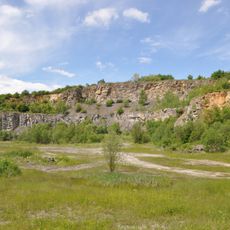
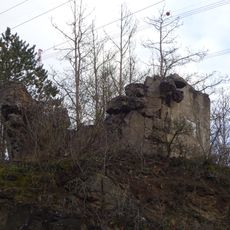
Ruins of castle in Tetín

Log in to your account

Start exploring — it's free

Trusted by 92,497 travelers worldwide

Continue with Google
Continue with Apple
or

We will send you a code to connect

By continuing, you accept our Terms and Conditions and our Privacy Policy

Check your inbox

We've sent a pincode in your inbox. Please enter the code below.

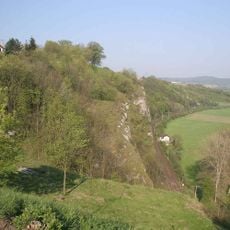
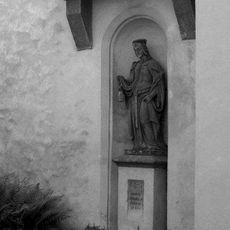
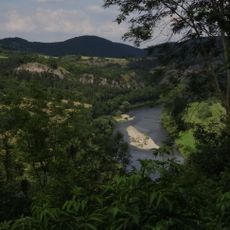
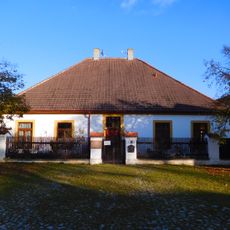
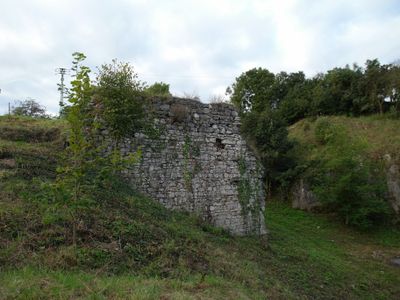
Ruins of castle in Tetín, Medieval castle ruins in Tetín, Czech Republic

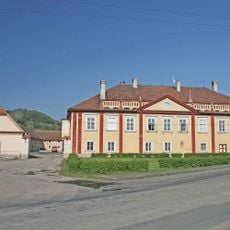
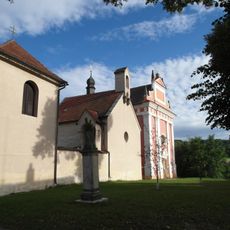
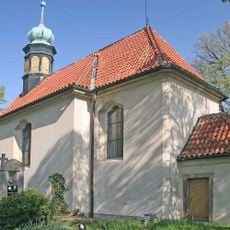
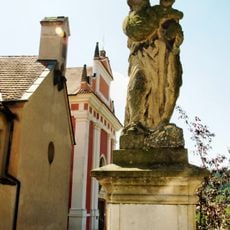
The castle ruins consist of stone walls perched on a limestone ridge above the Berounka River valley, with a square tower and surviving sections of palace structures as main features. The remains are positioned tightly on the height, surrounded by three nearby churches that frame the site from different angles.

Archaeology dates the castle's construction to the mid-13th century, probably built by King Přemysl Otakar II. It is first mentioned in writing in 1288, when Hynek of Lichtenburk was its burgrave. Wenceslas II rebuilt it for Přemyslid illegitimate sons; Charles IV later bought it and attached the Tetín estate to Karlštejn. It disappeared in the second half of the 14th century.

The castle's name comes from the older Tetín hillfort on whose site it was built. In 1288 it is documented as the seat of a royal huntsman, an office King Wenceslas II gave to the Chotěšov monastery, whose revenues were to support the Tetín churches while locals could cut building timber in the forest.

Access is by marked hiking trails starting from the town of Beroun to the northwest, which serves as a natural base for visiting. The approach involves climbing, and the exposed hilltop can be windy and sunny, so bring water and protection from the elements.

The castle was probably built for King Ottokar II in the mid-13th century, and in 1288 its burgrave Hynek of Lichtenburk was recorded plundering church estates with Dětřich Švihovský. Archaeology has uncovered evidence that the castle was stormed, which may be linked to that raid.

The community of curious travelers

AroundUs brings together thousands of curated places, local tips, and hidden gems, enriched daily by 92,497 contributors worldwide.
Start exploring
Location
Architectural style
Gothic architecture
GPS coordinates
49.95003,14.10646
Latest update
October 21, 2026 22:01
Reviews
Share your experience

No review yet

Discussions
Start a discussion...

No discussion yet

« Ruins of castle in Tetín - Medieval castle ruins in Tetín, Czech Republic » is provided by Around Us (aroundus.com). Images and texts are derived from Wikimedia project under a Creative Commons license. You are allowed to copy, distribute, and modify copies of this page, under the conditions set by the license, as long as this note is clearly visible.

Discover hidden gems everywhere you go!

From secret cafés to breathtaking viewpoints, skip the crowded tourist spots and find places that match your style. Our app makes it easy with voice search, smart filtering, route optimization, and insider tips from travelers worldwide. Download now for the complete mobile experience.
Around Us App Screenshot
❝

A unique approach to discovering new places❞

— Le Figaro

❝

All the places worth exploring❞

— France Info

❝

A tailor-made excursion in just a few clicks❞

— 20 Minutes

Around Us
Travel Guide & Maps
Download

Send to your phone

QR Code
1

Open the camera app on your mobile.

2

Point at the QR code with your camera. A notification will appear.

3

Tap the notification to open the link.