Chest opened
+${chestReward.xp} XP
Explorer
NOUVEAU ×${chestReward.collectible.quantity}
tapez pour fermer

See the monuments around you in AR Open chests in the app

Around Us is built for your phone — point your camera at the streets and discover the monuments and places around you in augmented reality. Around Us is built for your phone — chests unlock when you walk, explore and capture nearby places.

•

Enable Location

We need your location to show you interesting places around you

Discover nearby places

Find interesting locations and hidden gems around you

Precise directions

Get accurate directions and distances to places

Your location is never shared with other users. It's only used when you tap the location button.

Swisscom-Sendeturm St. Chrischona

Log in to your account

Start exploring — it's free

Trusted by 92,645 travelers worldwide

Continue with Google
Continue with Apple
or

We will send you a code to connect

By continuing, you accept our Terms and Conditions and our Privacy Policy

Check your inbox

We've sent a pincode in your inbox. Please enter the code below.

Swisscom-Sendeturm St. Chrischona

Swisscom-Sendeturm St. Chrischona, Telecommunication tower in Basel-Stadt, Switzerland

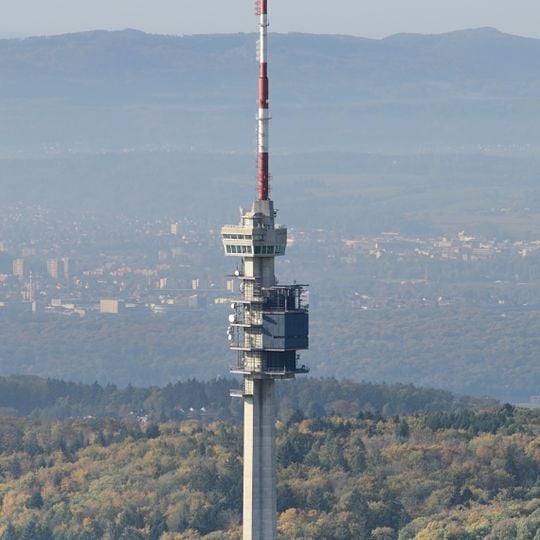
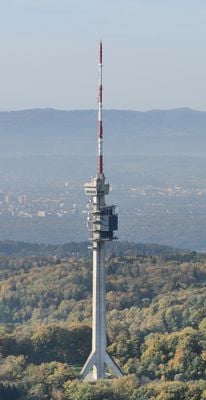
The Swisscom-Sendeturm St. Chrischona is a transmission tower in Basel-Stadt that stands 250 meters tall. It features a concrete base supporting a steel antenna structure that broadcasts radio and television signals across northwestern Switzerland.

St. Chrischona has hosted transmitters since 23 April 1954, when a 30 m steel lattice mast began carrying Swiss television to the Basel area, one of the country's three oldest broadcast sites. That mast ran until 28 December 1959; from 29 June 1961 a 136 m tower moved from Beromünster took over. The PTT launched an architecture competition in 1973/74, and the present tower was built from July 1980 to December 1983, entering service on 2 August 1984.

The tower's name comes from the St. Chrischona hill, a Basel landmark; the site has broadcast Swiss television since 23 April 1954, when only 76 television sets existed in the Basel area. Today it carries Swiss Radio DRS and Southwest German Radio (SWR) programmes, including SWR1 to SWR4 and Radio Basel 1. Guided visits can be booked, though the tower is otherwise closed to the public.

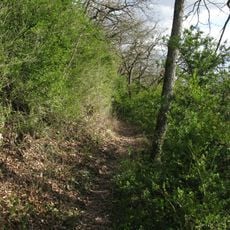
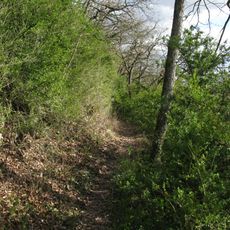
The tower is located on the St. Chrischona hill and can be seen from surrounding hiking trails. Public access to the base is not permitted, though distant viewpoints offer good photo opportunities.

During foundation work in 1979, a fragment of a mammoth tusk was unearthed at the site. The tower's three inclined support legs, unusual for Swiss television towers, let it withstand hurricane-force winds of up to 220 km/h with an oscillation of only about 40 cm.

The community of curious travelers

AroundUs brings together thousands of curated places, local tips, and hidden gems, enriched daily by 92,645 contributors worldwide.
Start exploring
Location
Made from material
concrete
GPS coordinates
47.57167,7.68694
Latest update
October 25, 2026 06:10
Reviews
Share your experience

No review yet

Discussions
Start a discussion...

No discussion yet

« Swisscom-Sendeturm St. Chrischona - Telecommunication tower in Basel-Stadt, Switzerland » is provided by Around Us (aroundus.com). Images and texts are derived from Wikimedia project under a Creative Commons license. You are allowed to copy, distribute, and modify copies of this page, under the conditions set by the license, as long as this note is clearly visible.

Discover hidden gems everywhere you go!

From secret cafés to breathtaking viewpoints, skip the crowded tourist spots and find places that match your style. Our app makes it easy with voice search, smart filtering, route optimization, and insider tips from travelers worldwide. Download now for the complete mobile experience.
Around Us App Screenshot
❝

A unique approach to discovering new places❞

— Le Figaro

❝

All the places worth exploring❞

— France Info

❝

A tailor-made excursion in just a few clicks❞

— 20 Minutes

Around Us
Travel Guide & Maps
Download

Send to your phone

QR Code
1

Open the camera app on your mobile.

2

Point at the QR code with your camera. A notification will appear.

3

Tap the notification to open the link.