Chest opened
+${chestReward.xp} XP
Explorer
NOUVEAU ×${chestReward.collectible.quantity}
tapez pour fermer

See the monuments around you in AR Open chests in the app

Around Us is built for your phone — point your camera at the streets and discover the monuments and places around you in augmented reality. Around Us is built for your phone — chests unlock when you walk, explore and capture nearby places.

•

Enable Location

We need your location to show you interesting places around you

Discover nearby places

Find interesting locations and hidden gems around you

Precise directions

Get accurate directions and distances to places

Your location is never shared with other users. It's only used when you tap the location button.

Talagunda pillar inscription

Log in to your account

Start exploring — it's free

Trusted by 93,477 travelers worldwide

Continue with Google
Continue with Apple
or

We will send you a code to connect

By continuing, you accept our Terms and Conditions and our Privacy Policy

Check your inbox

We've sent a pincode in your inbox. Please enter the code below.

Talagunda pillar inscription

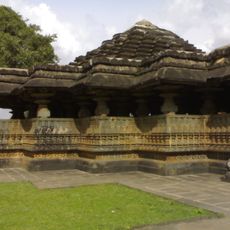
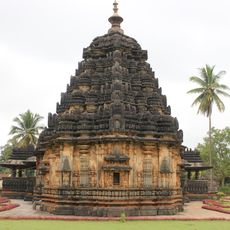
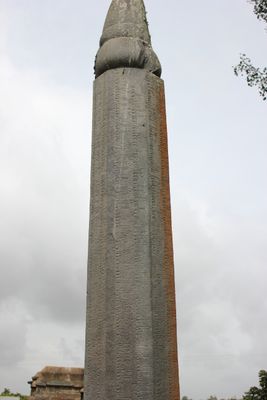
Talagunda pillar inscription, Granite pillar inscription at Talagunda, Karnataka, India

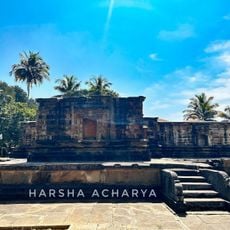
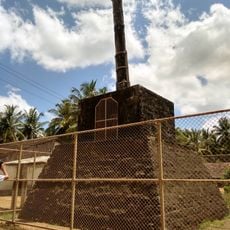
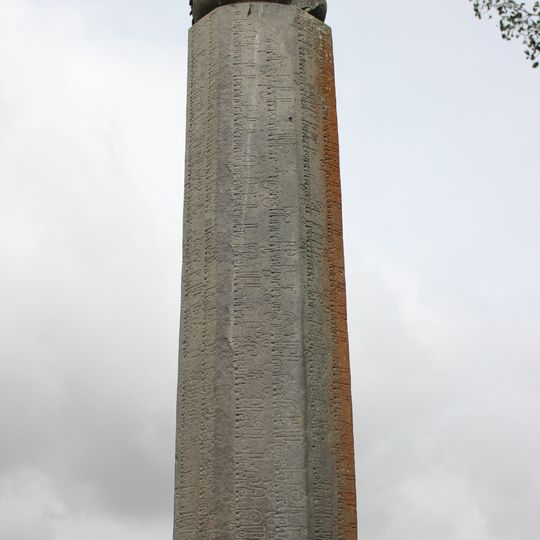
The Talagunda pillar inscription is carved on a hard grey granite pillar 1.635 metres high, with an octagonal shaft that tapers upward and a 0.4-metre square top. It stands in front of the ruined Pranavalingeshwara Shiva temple northwest of Talagunda village. The Sanskrit text, in Kadamba script, covers all eight faces: seven faces carry two vertical lines starting at the bottom, while the eighth has a single short line.

The pillar was rediscovered in 1894 by B. L. Rice, then Director of Archaeological Researches in Mysore, who sent a photograph to Indologist Bühler; it was published in 1895. The Sanskrit text, dated 455–470 CE, recounts the Kadamba dynasty and the reign of King Śāntivarma. Rice published a translation in 1902, and Kielhorn a more accurate one in 1906.

The 34 Sanskrit verses open with "Namo Shivaya" and praise Shiva, the twice-born, and King Kakusthavarman. They name the Kadamba family after a kadamba tree tended near their homes, and tell how Mayurasarman, taunted by a Pallava horseman, took up a sword. The text is in Kadamba script.

The site is located in Talagunda village in Shimoga district and is accessible via local roads from the main highway. Visitors should wear sturdy footwear and allow time to examine the carved inscriptions closely on each surface.

The 34 verses are in classical Sanskrit, not Kannada, and begin with Siddham and the invocation "Namo Shivaya". Verses 9 to 13 recount how Mayurasarman, a Brahmin student at a Pallava ghatika, was enraged by a quarrel with a Pallava horseman and took up a sword to conquer the earth, founding the Kadamba line.

The community of curious travelers

AroundUs brings together thousands of curated places, local tips, and hidden gems, enriched daily by 93,477 contributors worldwide.
Start exploring
Location
GPS coordinates
14.42253,75.25317
Latest update
November 1, 2026 05:28
Reviews
Share your experience

No review yet

Discussions
Start a discussion...

No discussion yet

« Talagunda pillar inscription - Granite pillar inscription at Talagunda, Karnataka, India » is provided by Around Us (aroundus.com). Images and texts are derived from Wikimedia project under a Creative Commons license. You are allowed to copy, distribute, and modify copies of this page, under the conditions set by the license, as long as this note is clearly visible.

Discover hidden gems everywhere you go!

From secret cafés to breathtaking viewpoints, skip the crowded tourist spots and find places that match your style. Our app makes it easy with voice search, smart filtering, route optimization, and insider tips from travelers worldwide. Download now for the complete mobile experience.

Around Us App Screenshot
❝

A unique approach to discovering new places❞

— Le Figaro

❝

All the places worth exploring❞

— France Info

❝

A tailor-made excursion in just a few clicks❞

— 20 Minutes

Around Us
Travel Guide & Maps
Download

Send to your phone

QR Code
1

Open the camera app on your mobile.

2

Point at the QR code with your camera. A notification will appear.

3

Tap the notification to open the link.