Chest opened
+${chestReward.xp} XP
Explorer
NOUVEAU ×${chestReward.collectible.quantity}
tapez pour fermer

See the monuments around you in AR Open chests in the app

Around Us is built for your phone — point your camera at the streets and discover the monuments and places around you in augmented reality. Around Us is built for your phone — chests unlock when you walk, explore and capture nearby places.

•

Enable Location

We need your location to show you interesting places around you

Discover nearby places

Find interesting locations and hidden gems around you

Precise directions

Get accurate directions and distances to places

Your location is never shared with other users. It's only used when you tap the location button.

Pavillon Dufour

Log in to your account

Start exploring — it's free

Trusted by 92,933 travelers worldwide

Continue with Google
Continue with Apple
or

We will send you a code to connect

By continuing, you accept our Terms and Conditions and our Privacy Policy

Check your inbox

We've sent a pincode in your inbox. Please enter the code below.

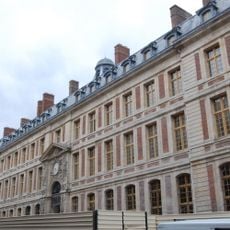
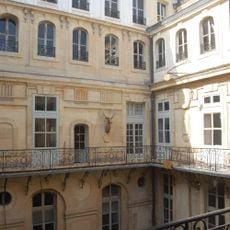
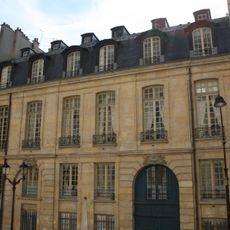
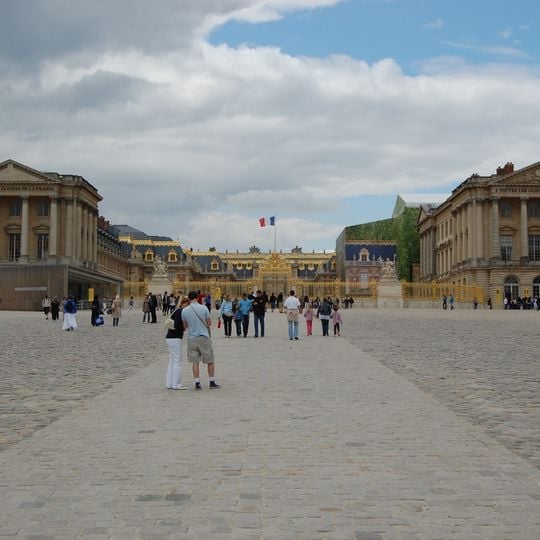
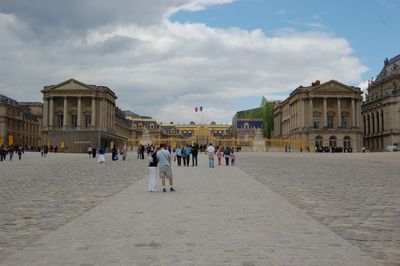
Pavillon Dufour, Royal entrance pavilion at Palace of Versailles, France

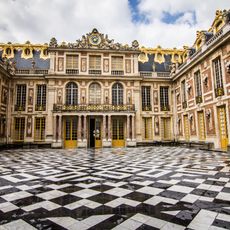
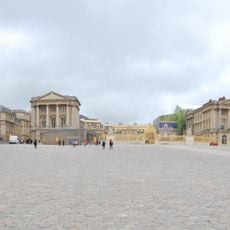
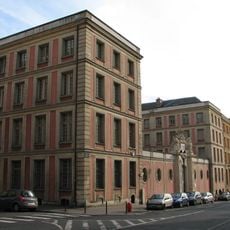
Pavillon Dufour is a pale-stone building on the left of the Cour d'honneur, its classical facade divided by pilasters and cornices and topped by a steep slate roof with dormer windows. The upper facade carries the inscription "A TOUTES LES GLOIRES DE LA FRANCE". It was built in 1818-1820 to plans studied by Alexandre Dufour, echoing Ange-Jacques Gabriel's wing, and its rear was never completed.

Napoleon I planned a white stone facade facing the town and ordered a study from Alexandre Dufour, who built the pavilion in 1818–1820 under Louis XVIII on the site of a 1668 wing. Its architecture copies the Gabriel wing built under Louis XV by Ange-Jacques Gabriel. The rear was never finished, and the 17th-century wing, restored in 1814, still stands behind it.

Since 2016 the first floor has held Alain Ducasse's 600 m² restaurant "Ore", named for the room's use under the monarchy, when courtiers gathered there. The name Dufour honours Alexandre Dufour, the architect Louis XVIII charged with building the pavilion from Napoleon's sketches.

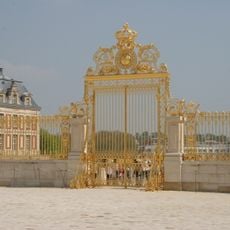
The building is straightforward to locate as it sits directly at the entrance to the Palace of Versailles and serves as a clear landmark. Expect this area to be crowded during peak hours, so arriving early helps with a smoother visit.

The rear of the pavilion was never finished, although plans for it were sketched: the 17th-century wing was kept after its restoration in 1814 and still stands behind the 1818-1820 facade. The building's name honours Alexandre Dufour, the architect Louis XVIII entrusted with the work begun under Napoleon I.

The community of curious travelers

AroundUs brings together thousands of curated places, local tips, and hidden gems, enriched daily by 92,933 contributors worldwide.

Start exploring
GPS coordinates
48.80410,2.12173
Latest update
October 26, 2026 04:35
Reviews

Real people, real opinions — but not verified.

Share your experience
comateen_ll
comateen_ll · Aug 24
Discussions
Start a discussion...

No discussion yet

« Pavillon Dufour - Royal entrance pavilion at Palace of Versailles, France » is provided by Around Us (aroundus.com). Images and texts are derived from Wikimedia project under a Creative Commons license. You are allowed to copy, distribute, and modify copies of this page, under the conditions set by the license, as long as this note is clearly visible.

Discover hidden gems everywhere you go!

From secret cafés to breathtaking viewpoints, skip the crowded tourist spots and find places that match your style. Our app makes it easy with voice search, smart filtering, route optimization, and insider tips from travelers worldwide. Download now for the complete mobile experience.
Around Us App Screenshot
❝

A unique approach to discovering new places❞

— Le Figaro

❝

All the places worth exploring❞

— France Info

❝

A tailor-made excursion in just a few clicks❞

— 20 Minutes

Around Us
Travel Guide & Maps
Download

Send to your phone

QR Code
1

Open the camera app on your mobile.

2

Point at the QR code with your camera. A notification will appear.

3

Tap the notification to open the link.