Chest opened
+${chestReward.xp} XP
Explorer
NOUVEAU ×${chestReward.collectible.quantity}
tapez pour fermer

See the monuments around you in AR Open chests in the app

Around Us is built for your phone — point your camera at the streets and discover the monuments and places around you in augmented reality. Around Us is built for your phone — chests unlock when you walk, explore and capture nearby places.

•

Enable Location

We need your location to show you interesting places around you

Discover nearby places

Find interesting locations and hidden gems around you

Precise directions

Get accurate directions and distances to places

Your location is never shared with other users. It's only used when you tap the location button.

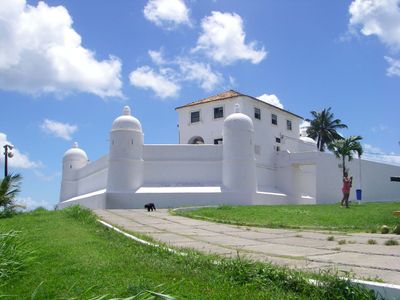
Fort of Monserrate

Log in to your account

Start exploring — it's free

Trusted by 92,851 travelers worldwide

Continue with Google
Continue with Apple
or

We will send you a code to connect

By continuing, you accept our Terms and Conditions and our Privacy Policy

Check your inbox

We've sent a pincode in your inbox. Please enter the code below.

Fort of Monserrate

Fort of Monserrate, Military fortification in Salvador, Brazil

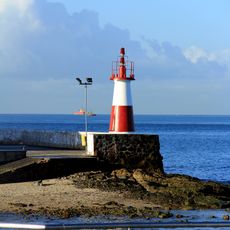
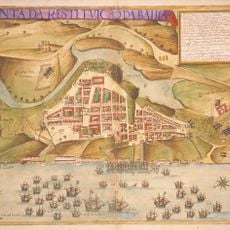
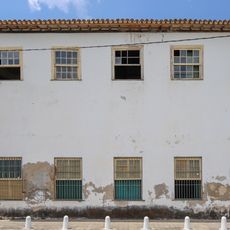
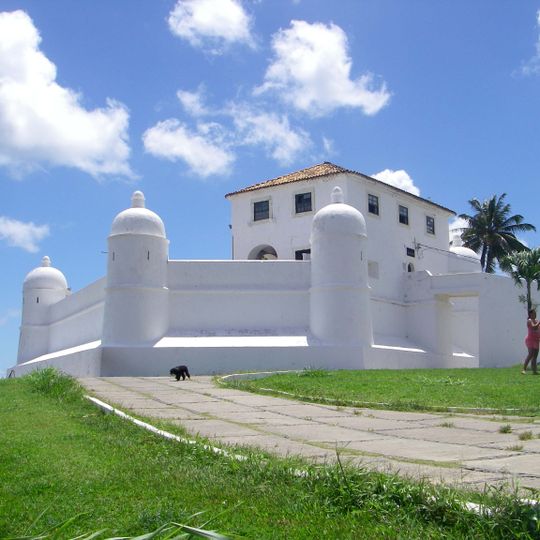
The Fort of Monserrate is a military fortification on the Itapagipe Peninsula in Salvador, built in an irregular polygon layout with four round turrets capped by domed roofs. The outer walls face the sea on multiple sides, enclosing an interior courtyard sheltered by the surrounding stone structure.

The fort was built between 1583 and 1587 under Governor Manoel Teles Barreto, when it was called Fort of Saint Philip. Reforms carried out in the 18th century changed the layout, reducing the number of turrets from six to four and giving the structure its current form.

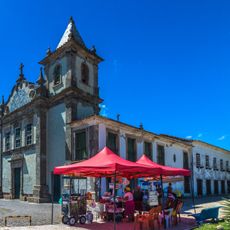
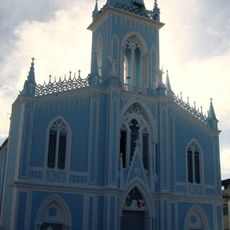
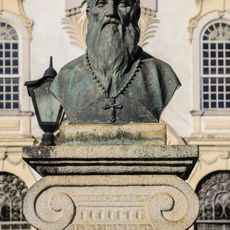
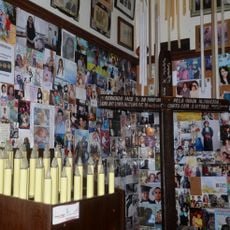
The fort's name comes from the Church and Monastery of Our Lady of Monserrate, one of Brazil's oldest church structures, situated directly below it. The site is also linked to the Dutch general Johan van Dorth, killed there on 17 July 1624 during the Dutch occupation of Salvador; a commemorative plaque to the left of the Arms Gate records the event.

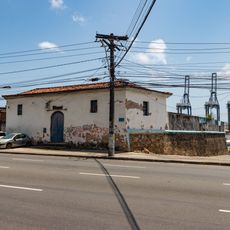
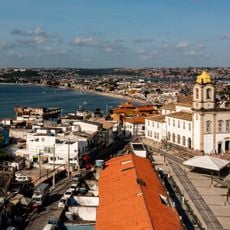
The fort stands above the Church and Monastery of Our Lady of Monserrate on the Itapagipe Peninsula, at the end of Rua da Boa Viagem in Salvador. It is open to the public and may be visited; the site is administered by the Brazilian Army's 6th Military Region. Visitors enter through the old gate area, where the drawbridge once linked the ramp to the terrace.

The fort was originally named after King Philip II of Spain, because Brazil at that time was under Spanish rule following the Iberian Union of 1580. The name Monserrate came later, once Portuguese control was restored and the nearby sanctuary grew in local importance.

The community of curious travelers

AroundUs brings together thousands of curated places, local tips, and hidden gems, enriched daily by 92,851 contributors worldwide.

Start exploring
Location
Accessibility
Wheelchair accessible
GPS coordinates
-12.92960,-38.51781
Latest update
October 26, 2026 06:09
Reviews
Share your experience

No review yet

Discussions
Start a discussion...

No discussion yet

« Fort of Monserrate - Military fortification in Salvador, Brazil » is provided by Around Us (aroundus.com). Images and texts are derived from Wikimedia project under a Creative Commons license. You are allowed to copy, distribute, and modify copies of this page, under the conditions set by the license, as long as this note is clearly visible.

Discover hidden gems everywhere you go!

From secret cafés to breathtaking viewpoints, skip the crowded tourist spots and find places that match your style. Our app makes it easy with voice search, smart filtering, route optimization, and insider tips from travelers worldwide. Download now for the complete mobile experience.
Around Us App Screenshot
❝

A unique approach to discovering new places❞

— Le Figaro

❝

All the places worth exploring❞

— France Info

❝

A tailor-made excursion in just a few clicks❞

— 20 Minutes

Around Us
Travel Guide & Maps
Download

Send to your phone

QR Code
1

Open the camera app on your mobile.

2

Point at the QR code with your camera. A notification will appear.

3

Tap the notification to open the link.