Chest opened
+${chestReward.xp} XP
Explorer
NOUVEAU ×${chestReward.collectible.quantity}
tapez pour fermer

See the monuments around you in AR Open chests in the app

Around Us is built for your phone — point your camera at the streets and discover the monuments and places around you in augmented reality. Around Us is built for your phone — chests unlock when you walk, explore and capture nearby places.

•

Enable Location

We need your location to show you interesting places around you

Discover nearby places

Find interesting locations and hidden gems around you

Precise directions

Get accurate directions and distances to places

Your location is never shared with other users. It's only used when you tap the location button.

Jeongipumsong Pine Tree

Log in to your account

Start exploring — it's free

Trusted by 93,467 travelers worldwide

Continue with Google
Continue with Apple
or

We will send you a code to connect

By continuing, you accept our Terms and Conditions and our Privacy Policy

Check your inbox

We've sent a pincode in your inbox. Please enter the code below.

Jeongipumsong Pine Tree, Natural monument pine tree in Boeun-gun, South Korea.

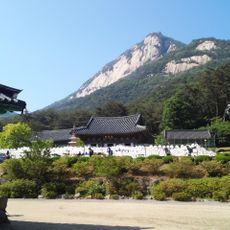
The Jeongipumsong Pine Tree stands in the middle of the road leading to Beopjusa Temple on Songnisan. It is about 600 years old, 14.5 m tall, with a trunk circumference of 4.77 m at breast height. Its crown was originally shaped like a conical hat or open umbrella, but in 1993 a strong wind broke its large western branch, altering its form.

In 1464 King Sejo of Joseon passed under the pine on his way to Beopjusa Temple; the branches, said to have lowered, lifted for his palanquin, and he granted the tree the honorary rank of jeongipum, equivalent to a minister. It was designated Natural Monument No. 103 on 7 December 1962 under the name Jeongipumsong of Songni, and renamed to its current title in 2008.

The name comes from a story told about King Sejo: in 1464, on his way to Beopjusa, the royal palanquin was caught by a low branch, and the pine lifted it so he could pass. The king granted the tree the rank of jeongipum, a senior official grade, and it has been called Jeongipumsong since. A nearby pine in Seowon-ri is nicknamed Jeongbuingun, the "lady" paired with this "minister".

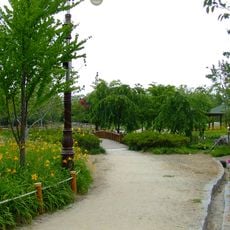
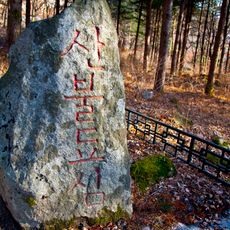
Walking trails from nearby towns provide access to the tree, with informational signs describing its characteristics on site. The best time to visit is during daylight hours when natural light illuminates details of the bark and branch structure.

In the early 1980s, damage from pine needle gall midges led to a large, costly insect-proof net being erected around the tree. Its crown was originally shaped like a neat open umbrella, but in 1993 a strong wind broke off a large western side branch, changing its form.

The community of curious travelers

AroundUs brings together thousands of curated places, local tips, and hidden gems, enriched daily by 93,467 contributors worldwide.


Start exploring
GPS coordinates
36.51739,127.81552
Latest update
October 31, 2026 18:39
Reviews
Share your experience

No review yet

Discussions
Start a discussion...

No discussion yet

« Jeongipumsong Pine Tree - Natural monument pine tree in Boeun-gun, South Korea » is provided by Around Us (aroundus.com). Images and texts are derived from Wikimedia project under a Creative Commons license. You are allowed to copy, distribute, and modify copies of this page, under the conditions set by the license, as long as this note is clearly visible.

Discover hidden gems everywhere you go!

From secret cafés to breathtaking viewpoints, skip the crowded tourist spots and find places that match your style. Our app makes it easy with voice search, smart filtering, route optimization, and insider tips from travelers worldwide. Download now for the complete mobile experience.
Around Us App Screenshot
❝

A unique approach to discovering new places❞

— Le Figaro

❝

All the places worth exploring❞

— France Info

❝

A tailor-made excursion in just a few clicks❞

— 20 Minutes

Around Us
Travel Guide & Maps
Download

Send to your phone

QR Code
1

Open the camera app on your mobile.

2

Point at the QR code with your camera. A notification will appear.

3

Tap the notification to open the link.