Chest opened
+${chestReward.xp} XP
Explorer
NOUVEAU ×${chestReward.collectible.quantity}
tapez pour fermer

See the monuments around you in AR Open chests in the app

Around Us is built for your phone — point your camera at the streets and discover the monuments and places around you in augmented reality. Around Us is built for your phone — chests unlock when you walk, explore and capture nearby places.

•

Enable Location

We need your location to show you interesting places around you

Discover nearby places

Find interesting locations and hidden gems around you

Precise directions

Get accurate directions and distances to places

Your location is never shared with other users. It's only used when you tap the location button.

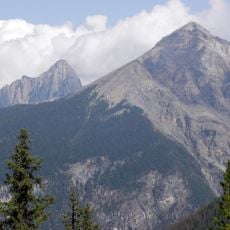
Wenkchemna Peak

Log in to your account

Start exploring — it's free

Trusted by 93,784 travelers worldwide

Continue with Google
Continue with Apple
or

We will send you a code to connect

By continuing, you accept our Terms and Conditions and our Privacy Policy

Check your inbox

We've sent a pincode in your inbox. Please enter the code below.

Wenkchemna Peak

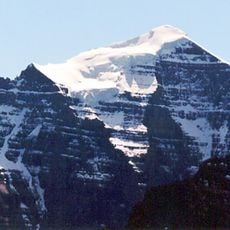
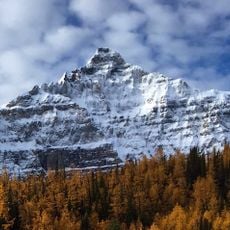
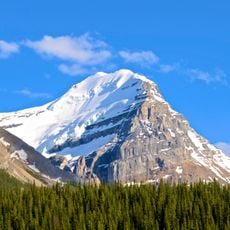
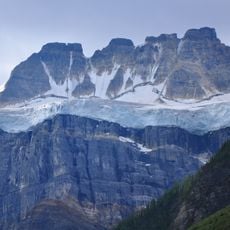
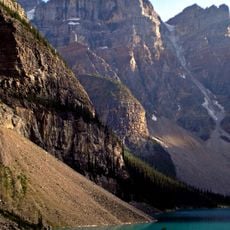
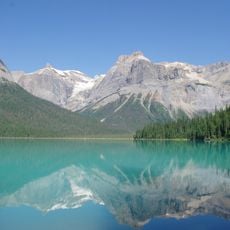
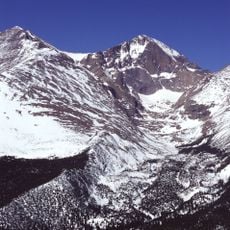
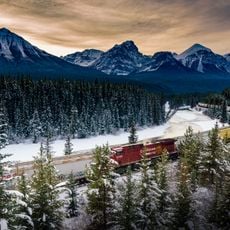
Wenkchemna Peak, Mountain summit at British Columbia and Alberta border, Canada.

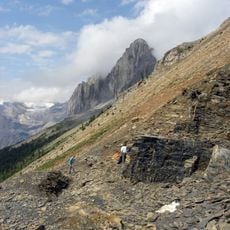
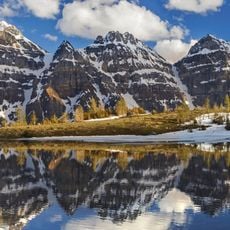
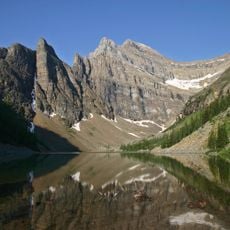
Wenkchemna Peak is a 3,206-metre summit on the Continental Divide, which forms the Alberta–British Columbia border here. It is the tenth peak in the Valley of the Ten Peaks as numbered left to right from Moraine Lake, and an extension into the valley of the ridge formed by Mount Hungabee and Ringrose Peaks. The peak is composed of sedimentary rock laid down in shallow seas from the Precambrian to Jurassic periods and pushed east over younger rock during the Laramide orogeny.

Samuel E. S. Allen named the peak in 1894, taking the Stoney word for "ten" because it is the tenth summit in the Valley of the Ten Peaks. The first ascent was made in 1923 by F.C. Bell, A.W. Drinnan, H. Herriot, T.B. Moffat, R. Neil, E. Thompson, R. Williams and Christian Hasler Jr.

Samuel E. S. Allen, an early European explorer of the area, named the peak in 1894 using the Stoney word for "ten". He gave the peaks of the Valley of the Ten Peaks numbers from one to ten in the Stoney language, according to their position as seen from Moraine Lake. Wenkchemna is the tenth peak in that left-to-right sequence.

Climbing this peak requires advanced mountaineering skills and careful planning, particularly due to extreme cold with temperatures often dropping below -20°C (-4°F). Weather and snow conditions should be checked daily before attempting the ascent.

Wenkchemna Peak is the tenth summit in the Valley of the Ten Peaks, counted left to right as seen from Moraine Lake. Samuel E. S. Allen named it in 1894 using the Stoney word for ten, part of a set numbered one to ten in that language.

The community of curious travelers

AroundUs brings together thousands of curated places, local tips, and hidden gems, enriched daily by 93,784 contributors worldwide.

Start exploring
Location
Location
Elevation above the sea
3,170 m
GPS coordinates
51.32792,-116.27632
Latest update
November 4, 2026 04:00
Reviews
Share your experience

No review yet

Discussions
Start a discussion...

No discussion yet

« Wenkchemna Peak - Mountain summit at British Columbia and Alberta border, Canada » is provided by Around Us (aroundus.com). Images and texts are derived from Wikimedia project under a Creative Commons license. You are allowed to copy, distribute, and modify copies of this page, under the conditions set by the license, as long as this note is clearly visible.

Discover hidden gems everywhere you go!

From secret cafés to breathtaking viewpoints, skip the crowded tourist spots and find places that match your style. Our app makes it easy with voice search, smart filtering, route optimization, and insider tips from travelers worldwide. Download now for the complete mobile experience.
Around Us App Screenshot
❝

A unique approach to discovering new places❞

— Le Figaro

❝

All the places worth exploring❞

— France Info

❝

A tailor-made excursion in just a few clicks❞

— 20 Minutes

Around Us
Travel Guide & Maps
Download

Send to your phone

QR Code
1

Open the camera app on your mobile.

2

Point at the QR code with your camera. A notification will appear.

3

Tap the notification to open the link.